|
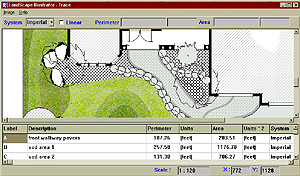
Trace Component:
You simply trace any areas for which you require the area ond or perimeter value (e.g. sod areas, pavers, flagstone and planting areas). These values can be "dragged and dropped" into specific vendor records in the Estimate Component to work towards the installed cost.
|
|
 |
 |
|
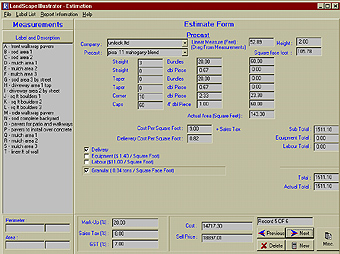
Estimate Component:
Below is a list of the specific record types contained in Landscape Illustrator. All items contain data items and pricing which can be edited through program utilities.
-Site Preparation
-General
-Products by square foot
-Products by Linear Distance
-Products by Quanity
-Pavers (Dual Component)
-Flagstones Dimentional and 5-Point Random
-Decorative Slabs
-Perennials, Fruits, Water Plants, Roses
-Ground Covers, Grasses, Vines, Ferns
-Decidious Shrubs, Evergreens, Broadleaf Evergreens, Topiary
-Decidious Trees, Conifers
-Stock Inventory, Specimen Plants
-Sod, Seed
-Pavers (Multi Component)
-Precast
|
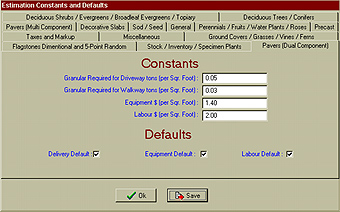
Editing Constants and Defaults:
This utility allows you to pre-set the "Default" values in the Estimate Component for each time you enter a record. By changing the "Constants" you alter the specifics (labour, equitment, profit margin and, of course, taxes). This type of customization is unique to Landscape Illustrator.
|
|
 |
 |
|
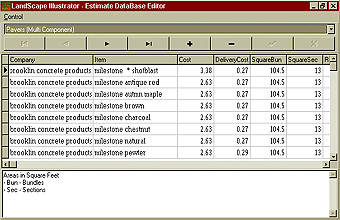
Editing Database Items:
Gives you the ability to add, edit and delete complete database items. The program comes pre-loaded with a comprehensive Plant Library, Paver Vendors, Natural Stone Vendors with"Trade Pricing" for all.
|
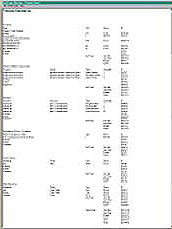
Estimate Report:
Will generate an itemized report of all items selected. This report can be exported into a spreadsheet program or saved as a RTF file for use in any word processing programs. Items included in the report are Vendor Name, Item, Quanity, Per Unit and Sub Totals.
|
|
 |
|
|
|